Everything your library needs
Start free with shuffle, streaming, and playback across all your devices. A one-time Pro upgrade adds the Browse experience, downloads and a drive you can take with you, unlimited shares, shuffle modes, and SMB over QUIC.
Take It With You
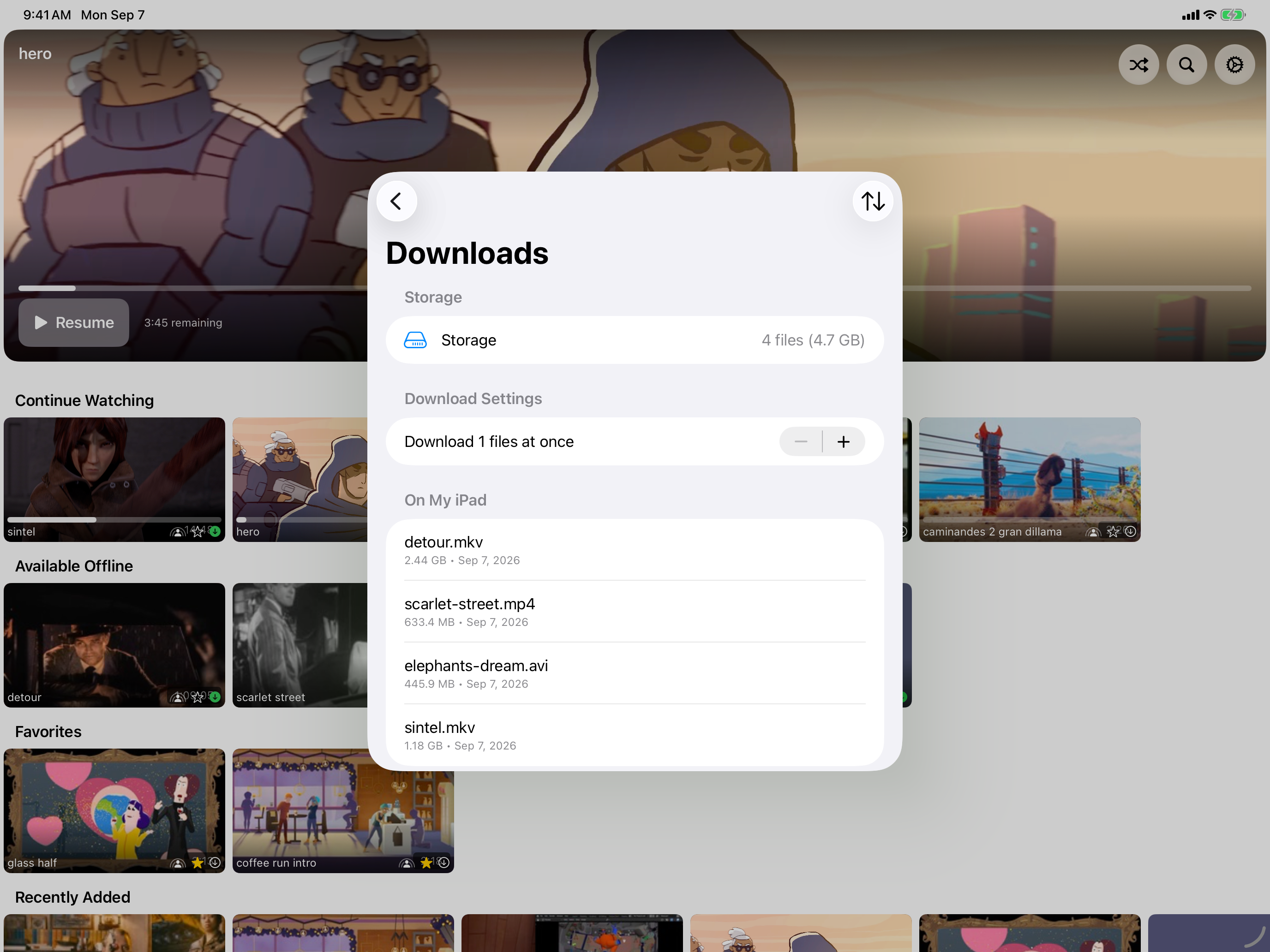
Your library doesn't have to stay on the NAS. Plug a USB drive into your Mac, iPad, or iPhone, fill it from your share, and eject it from inside the app. Plug it into another of your own devices signed in to the same Apple Account and the same videos are there, counted as available offline. Copying runs while the app is open, so keep RandomPlayer open until the copy finishes. Everything on the drive is encrypted and readable only in RandomPlayer -- not in Finder or other apps.
SMB over QUIC
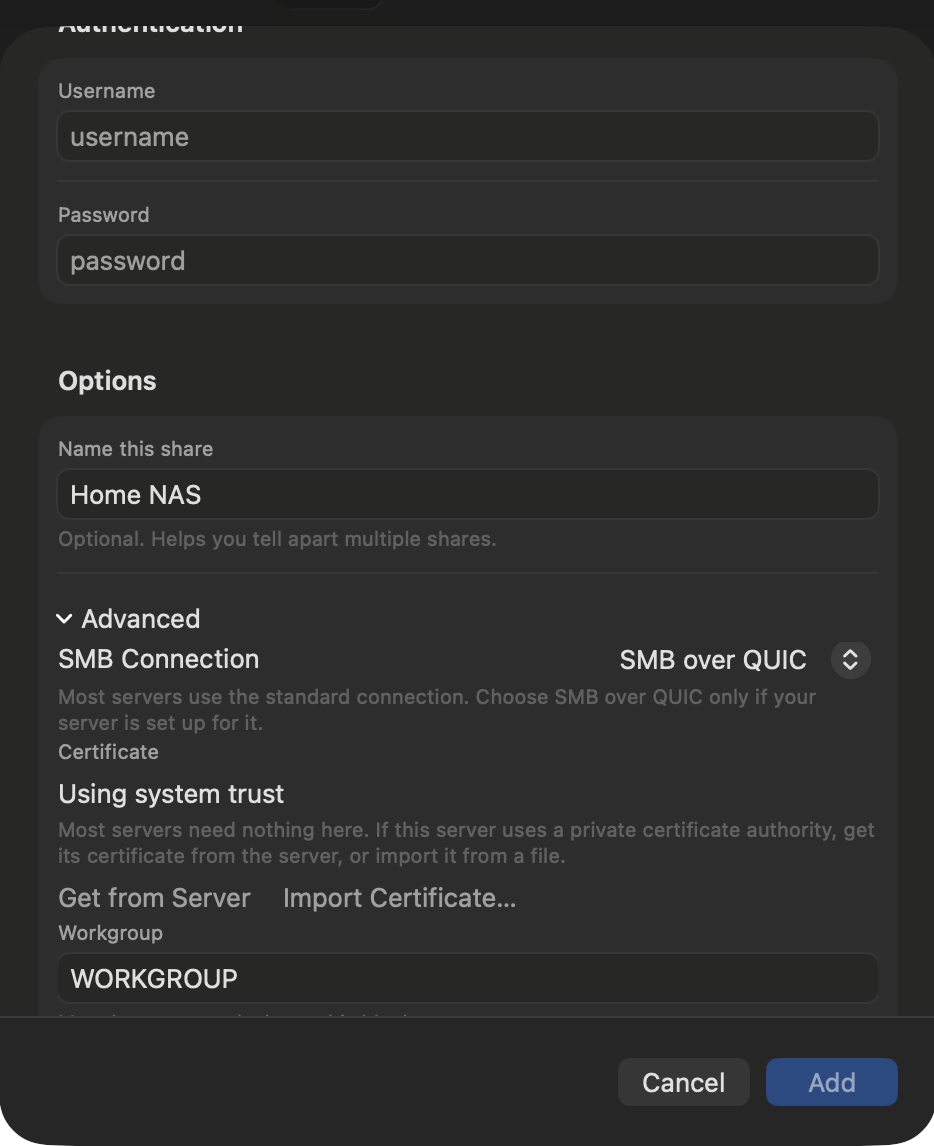
Your NAS, from anywhere. SMB over QUIC reaches your share over the internet on encrypted UDP 443 -- no VPN. Tap Get from Server to fetch the server's certificate, check the fingerprint, confirm it once, and RandomPlayer trusts only that certificate from then on. Your server needs SMB over QUIC switched on -- Samba 4.23 and newer and Windows Server 2025 are verified; most NAS boxes don't offer it yet.
SharePlay Watch Parties
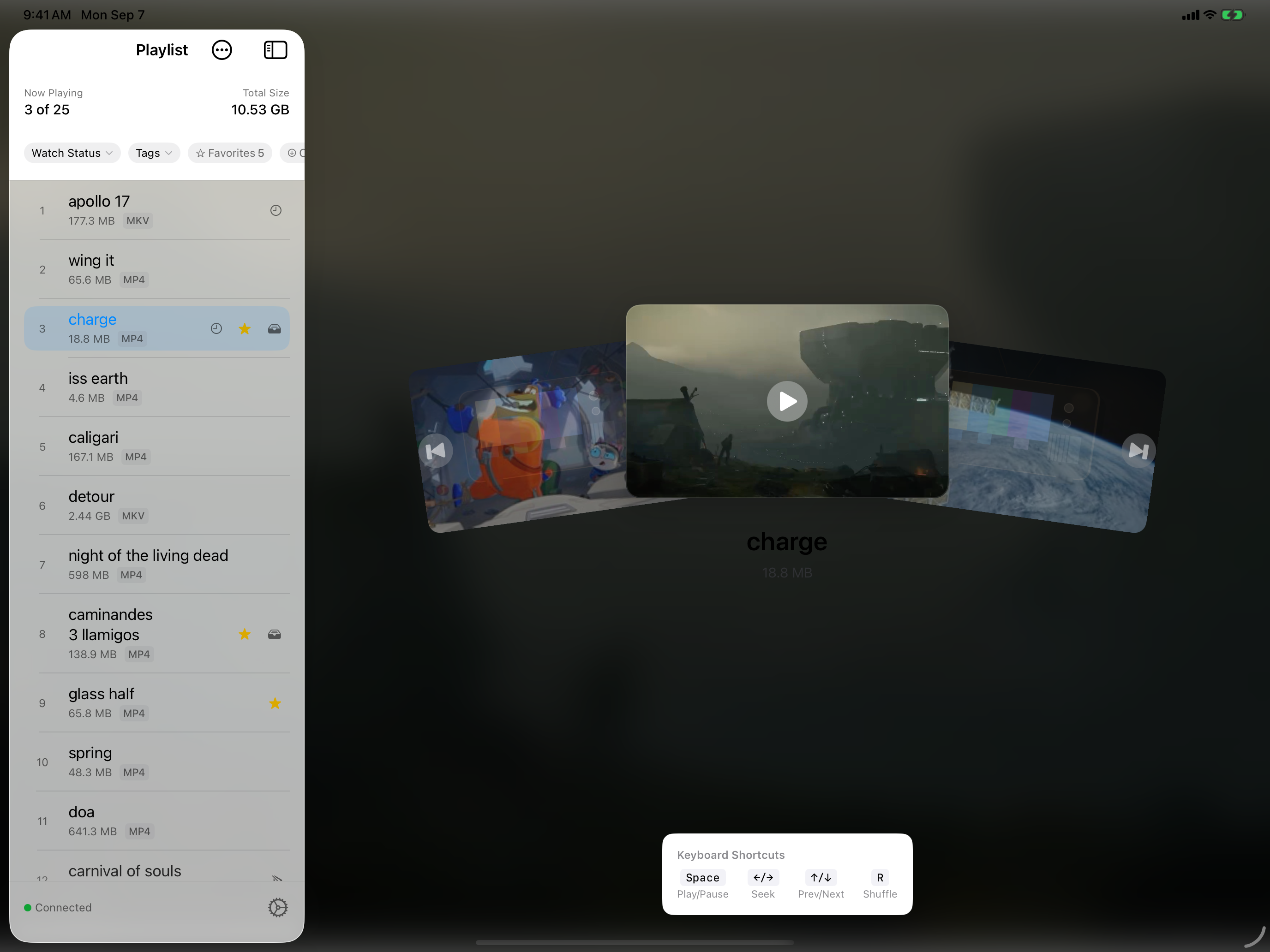
Movie night just got a lot more fun. Start Watch Together from any video row or card and friends connect to your share automatically. Everyone nominates from their own shuffle and votes from a drawer that keeps the video in view, and the group only votes on videos every participant can play, so the winner plays for everyone. Even skipping takes a majority vote -- no more remote-control drama. Everything you watch together gets a special tag so you can revisit your group favorites.
Netflix-Style Browse View
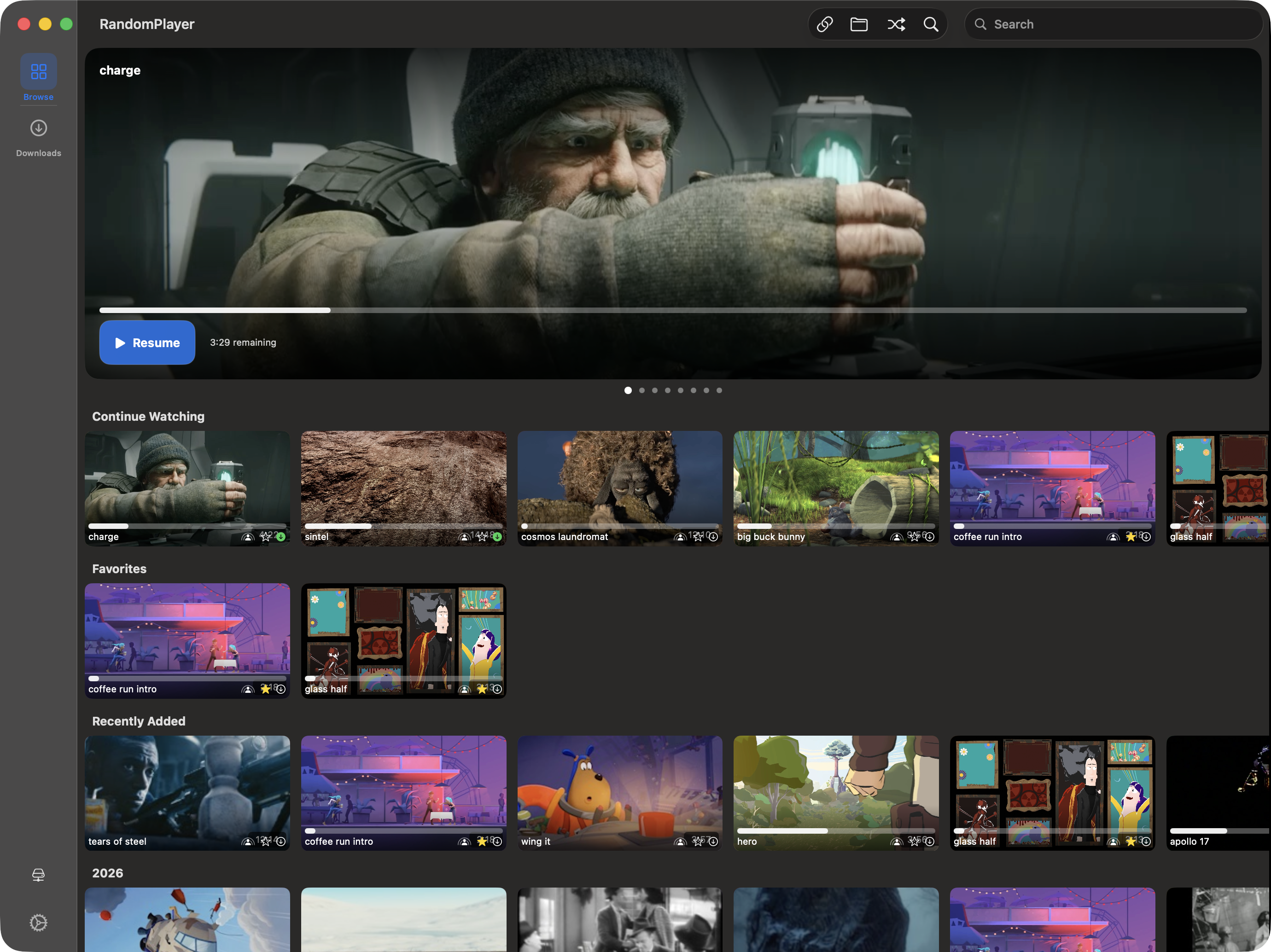
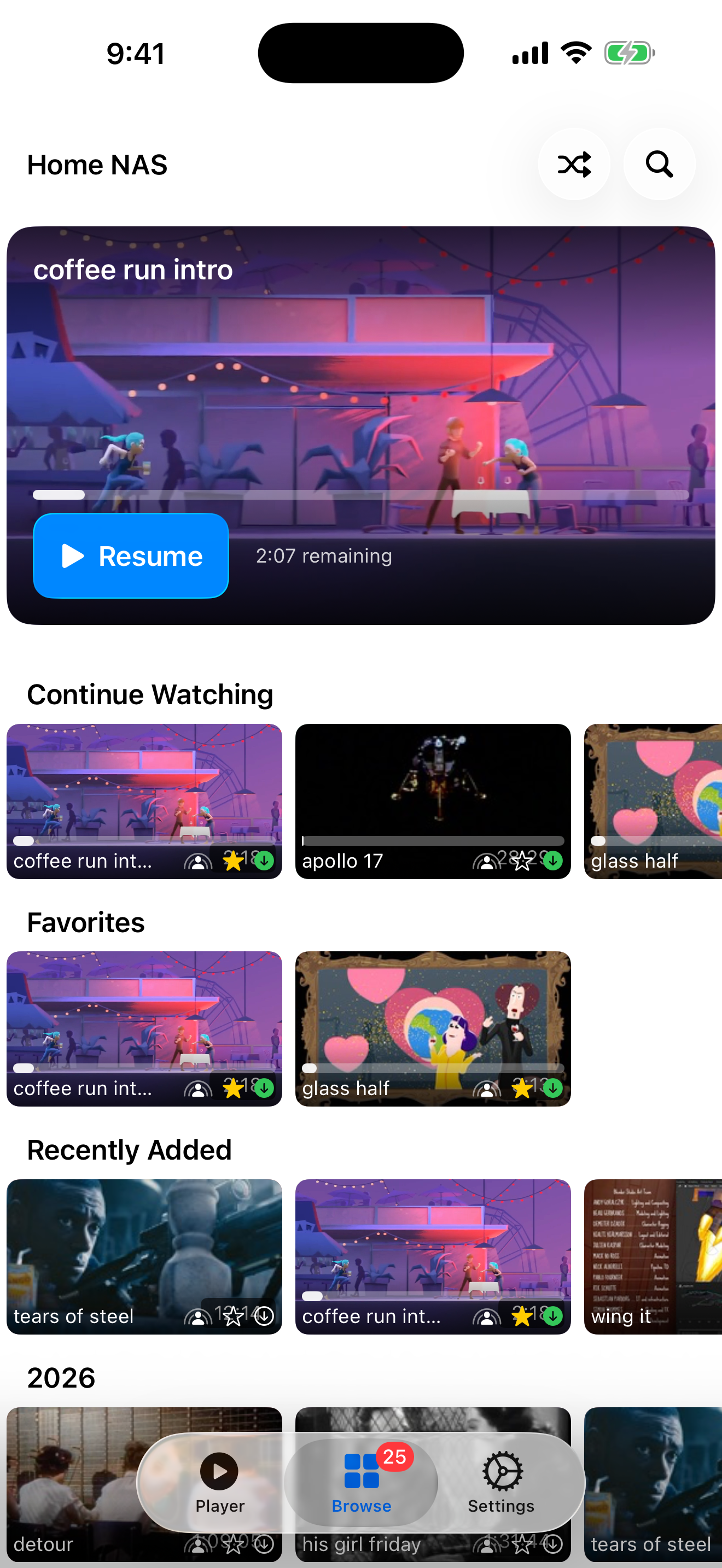
Explore your library the way it deserves to be explored -- and now on the Mac, too. Gorgeous card thumbnails with animated previews, smart rows like Continue Watching and Favorites, a rotating hero carousel, and instant search that handles even massive libraries. On the Mac it lives in a pane you can collapse when you just want to watch.
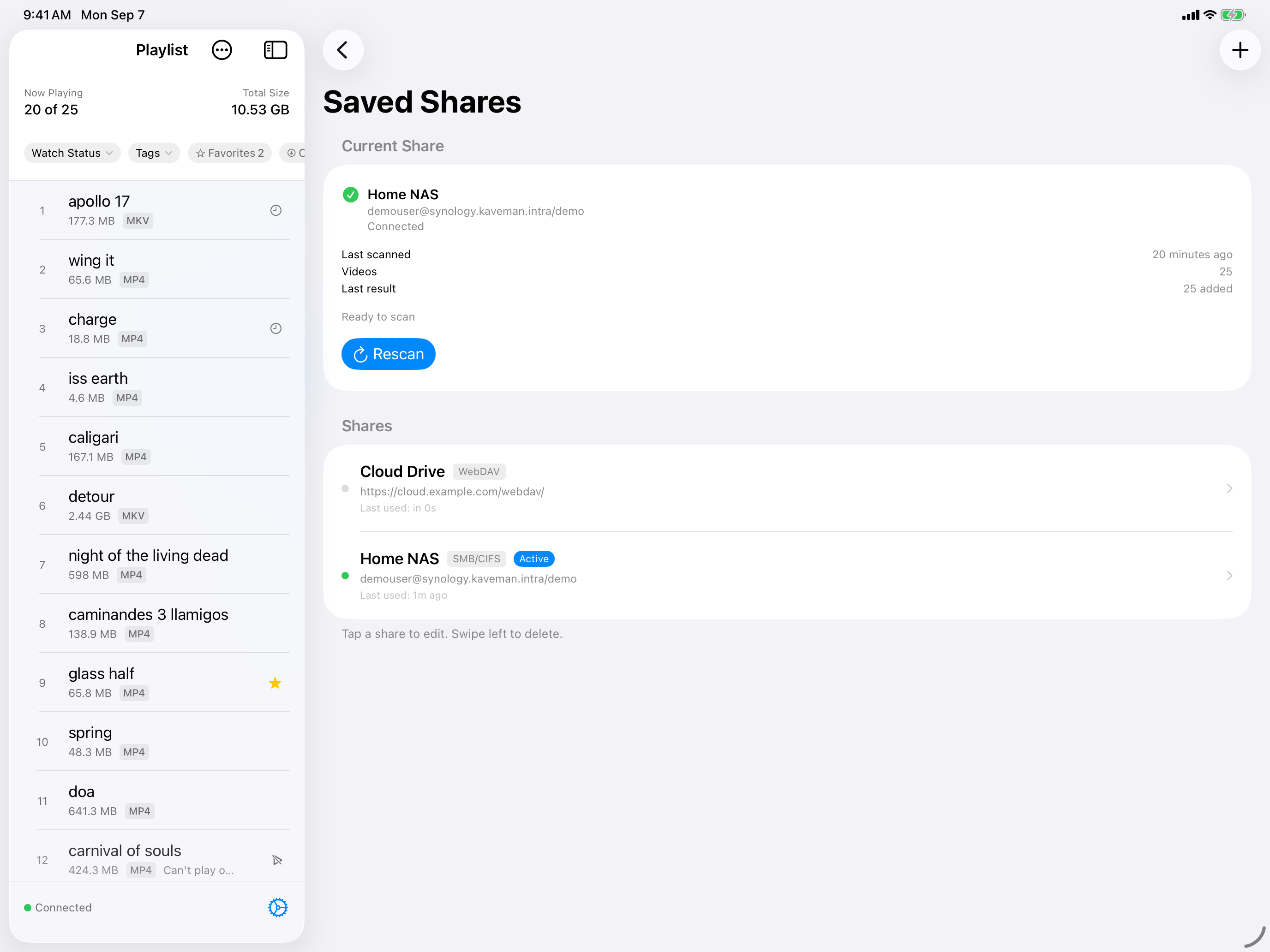
Multi-Share Profiles
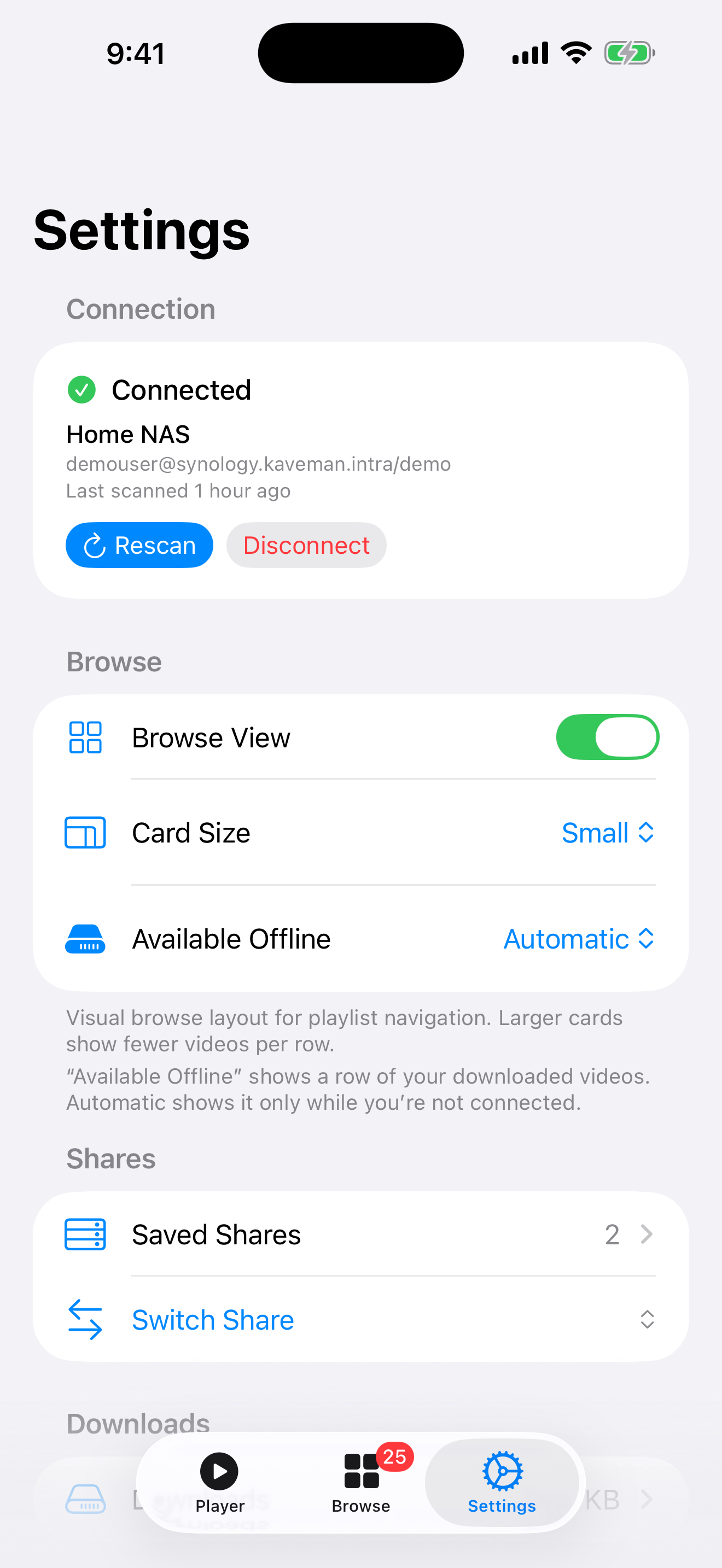
Home NAS, office server, a friend's collection -- save them all with their own credentials. Each profile keeps its own playlist and watch history, so switching libraries is instant and everything stays organized. Free users get two profiles; Pro unlocks unlimited.
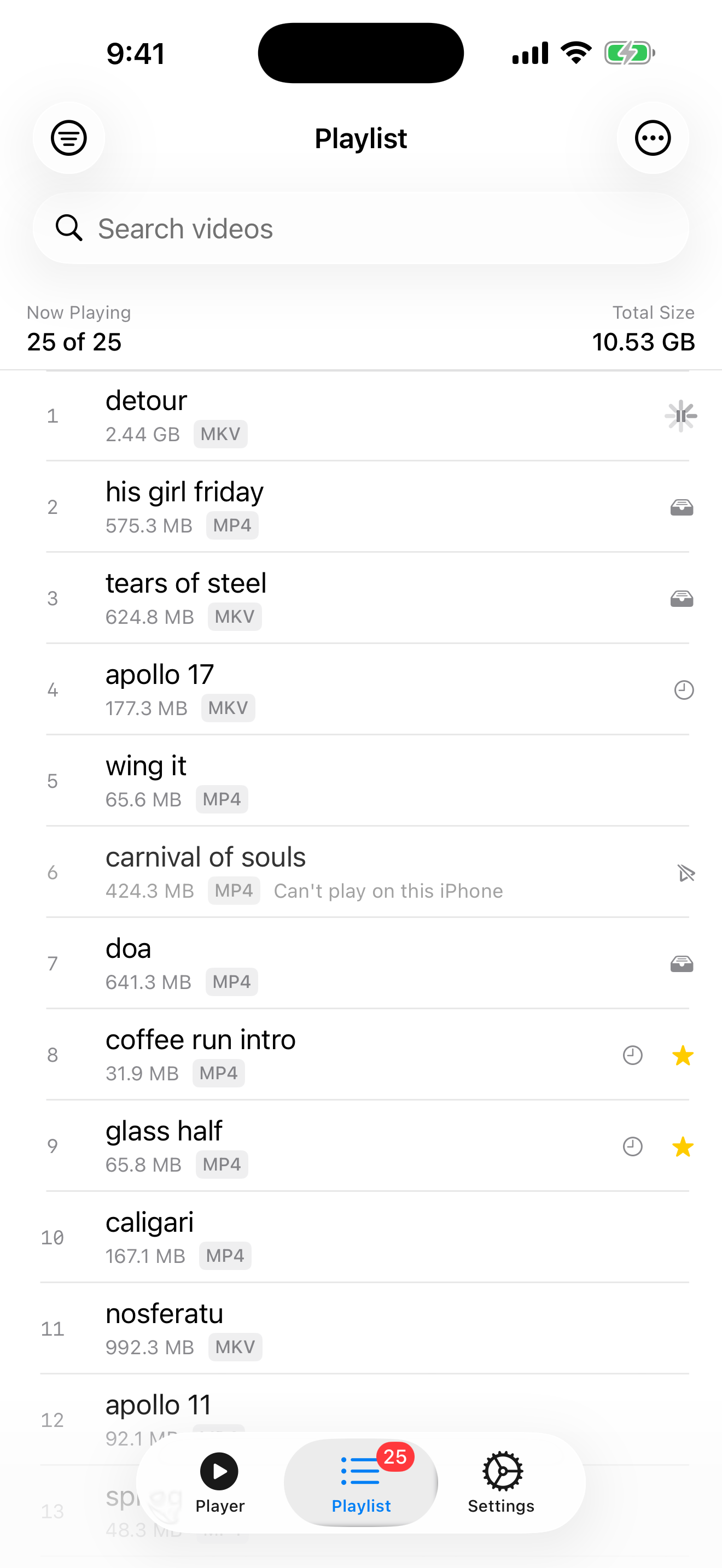
Smart Shuffle & Playlists
The heart of RandomPlayer. Hit shuffle and the app builds you a playlist that avoids what you've watched recently -- and it learns which videos this device can't play, so it stops landing on them. That basic shuffle and the learning are free for everyone. Pro adds two modes: More Like This leans into what you just watched, and Diverse wanders across your whole library.
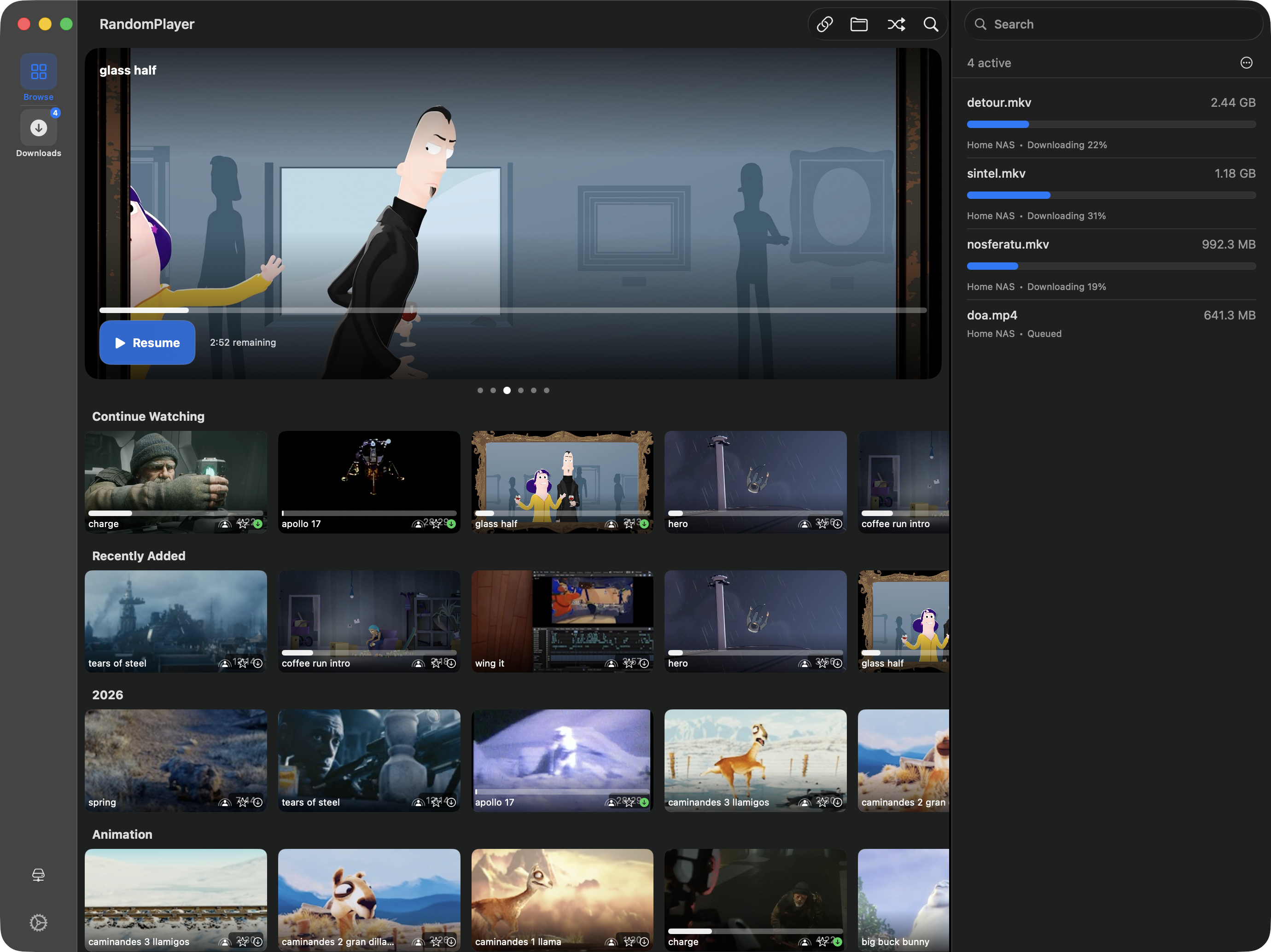
Downloads & Offline
Take your videos on the road. Download in the background, queue up to 5 at once, and manage everything with Pause All / Resume All from the Downloads screen -- In Progress at the top, with downloads from every share you've connected in one list and clearly labeled, then what's already on this device. Plug in a drive and it shows up there as a second place your downloads can live; copying to a drive runs while the app is open. Everything on your device stays encrypted, and your library goes wherever you go.
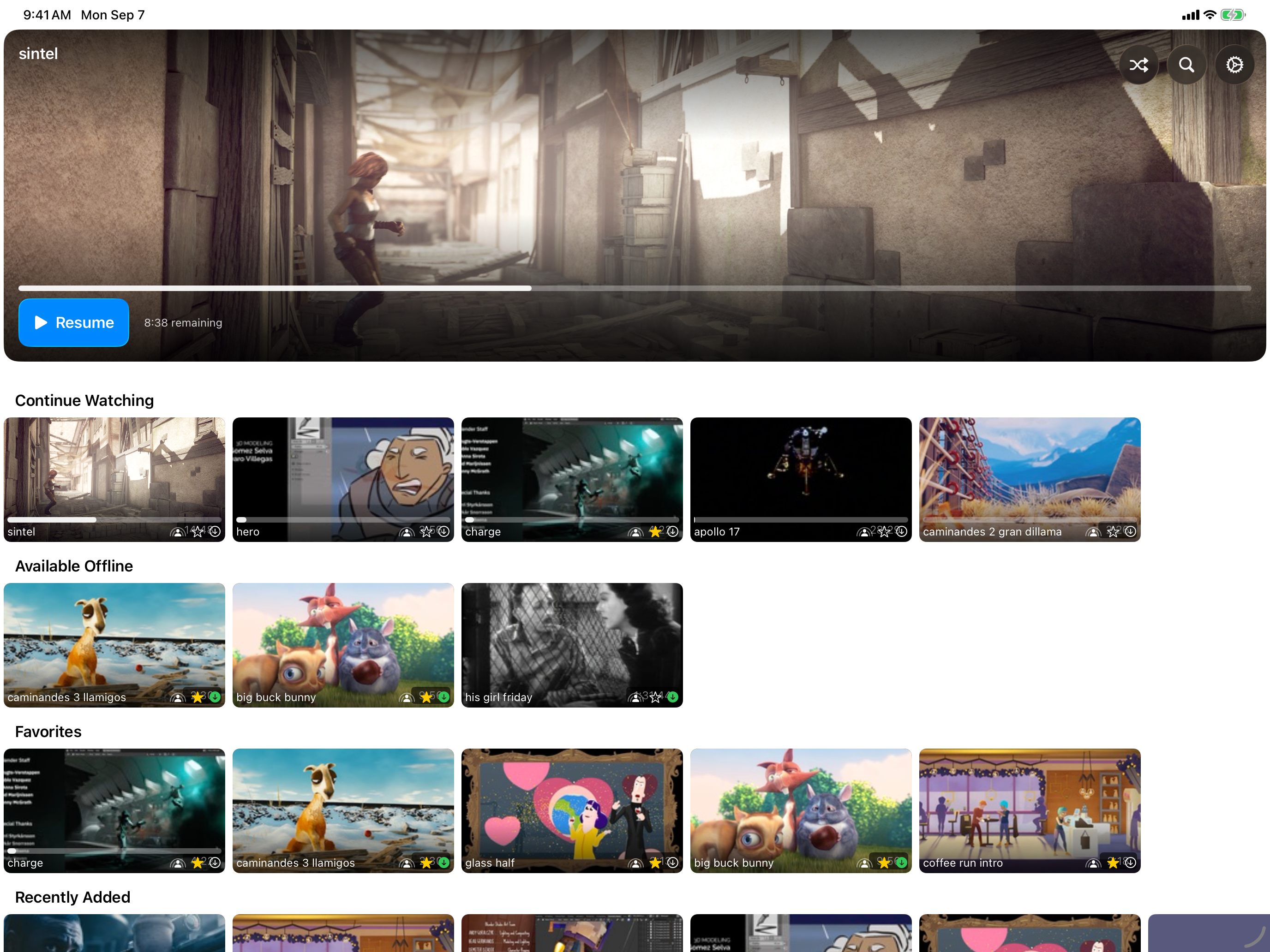
Offline Mode
Lost your connection? No worries. RandomPlayer automatically shows everything you've downloaded. An 'Available Offline' filter makes it easy to find what's ready, and the playlist skips anything that isn't cached. Works best with Pro downloads.
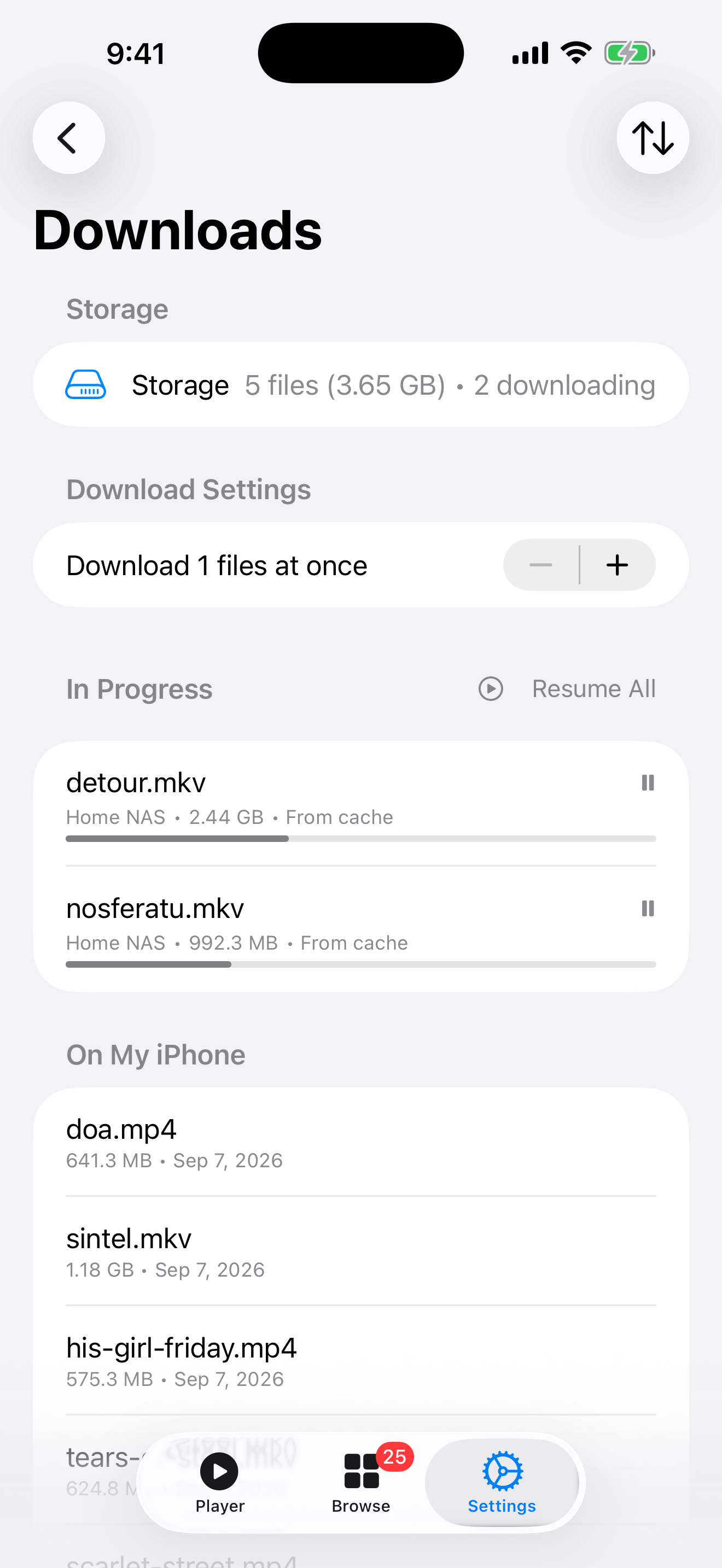
The Downloads Screen
Everything you've saved, in one place. Open Downloads from Settings on iPhone and iPad and you get In Progress at the top, then a section named for where you are -- On My iPhone, On My iPad, On Apple TV, or On This Mac -- with playback-cached videos right beside the ones you chose to keep. The screen is free for everyone; saving videos to it is a Pro feature.
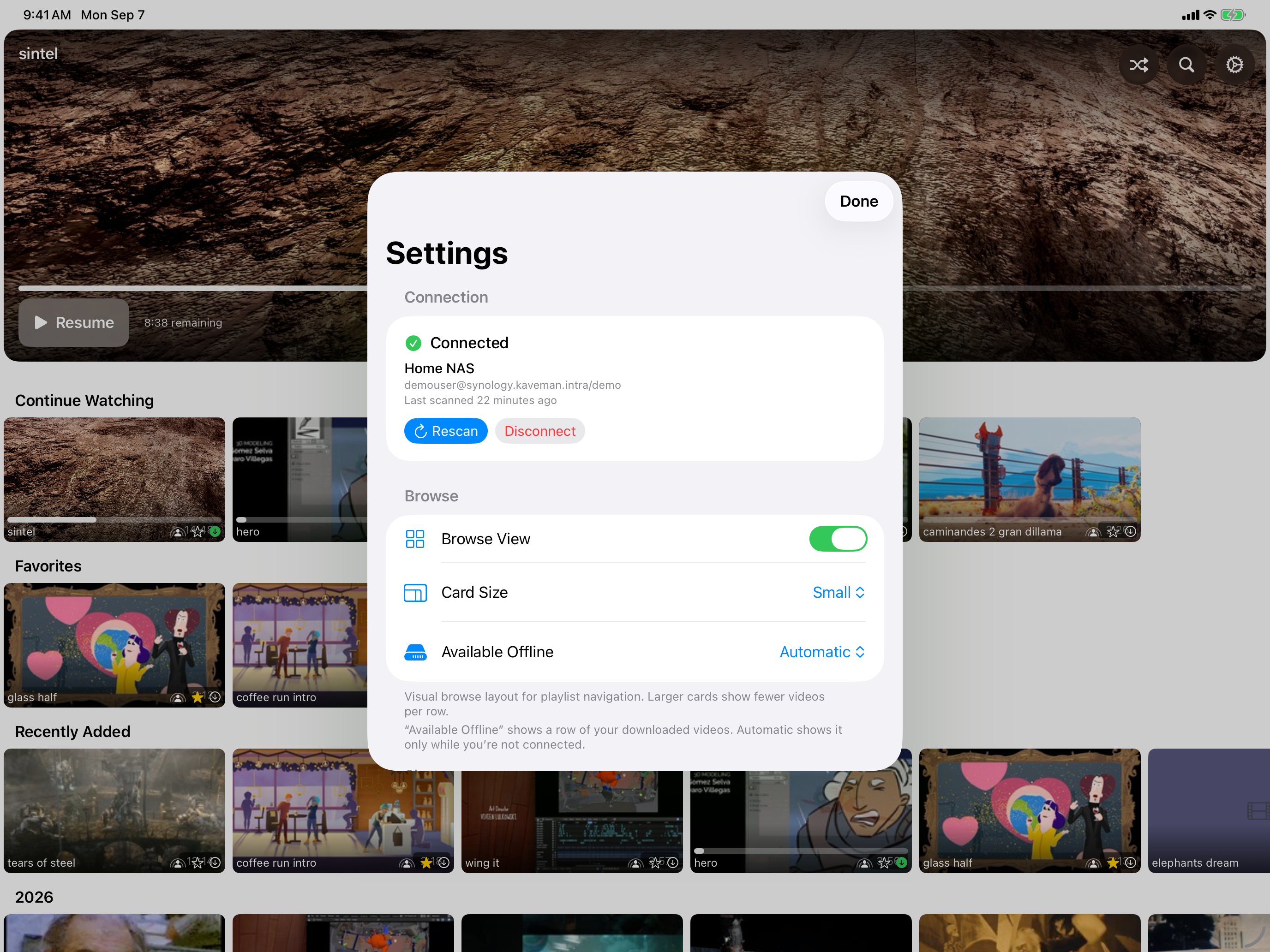
AirPlay & Picture-in-Picture
Cast to your TV with AirPlay or keep watching in a floating window while you do other things. Works beautifully on both macOS and iOS -- your video, your way.
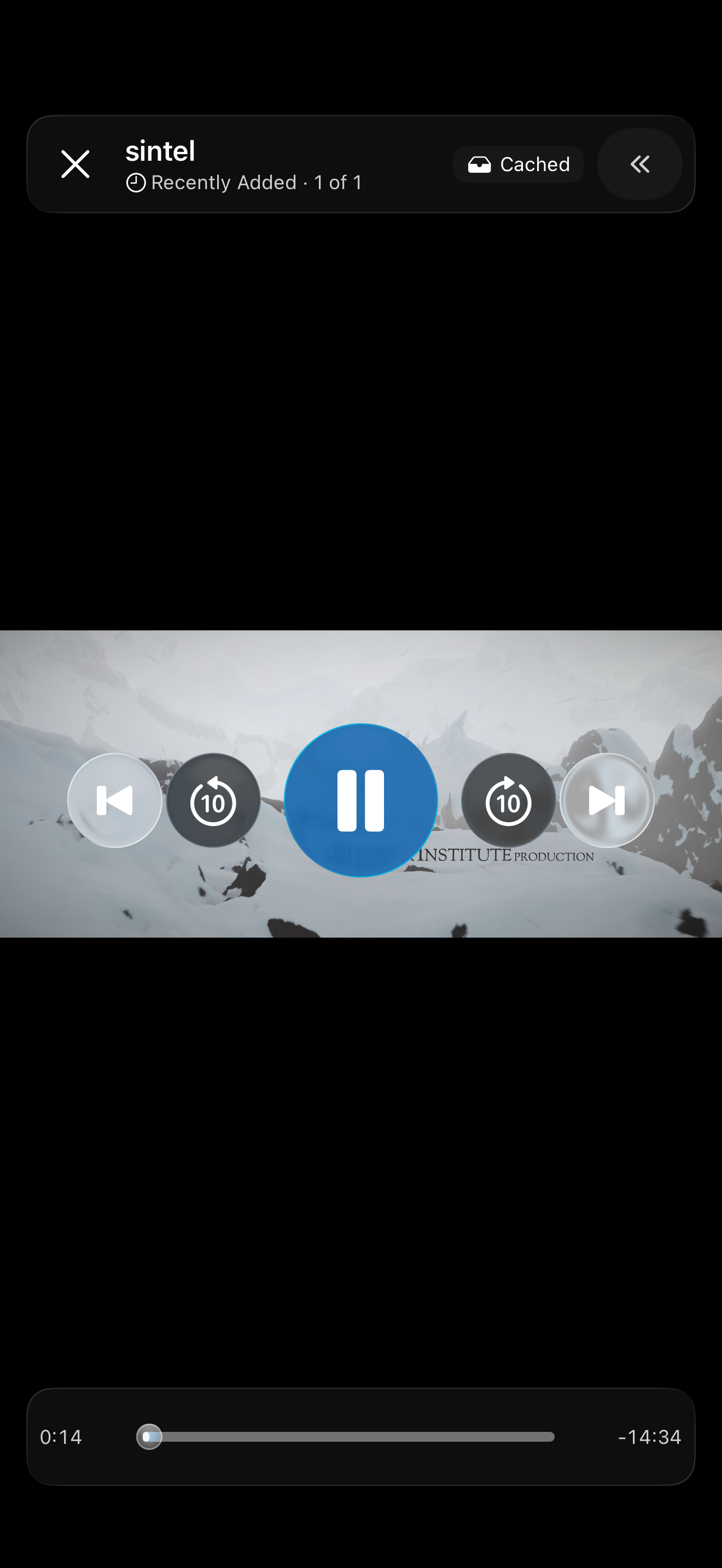
Download Progress on Scrubber
See exactly which parts of a video are downloaded, right on the playback timeline. Just like the buffered-range display you know from YouTube -- so you always know what's ready to watch offline.
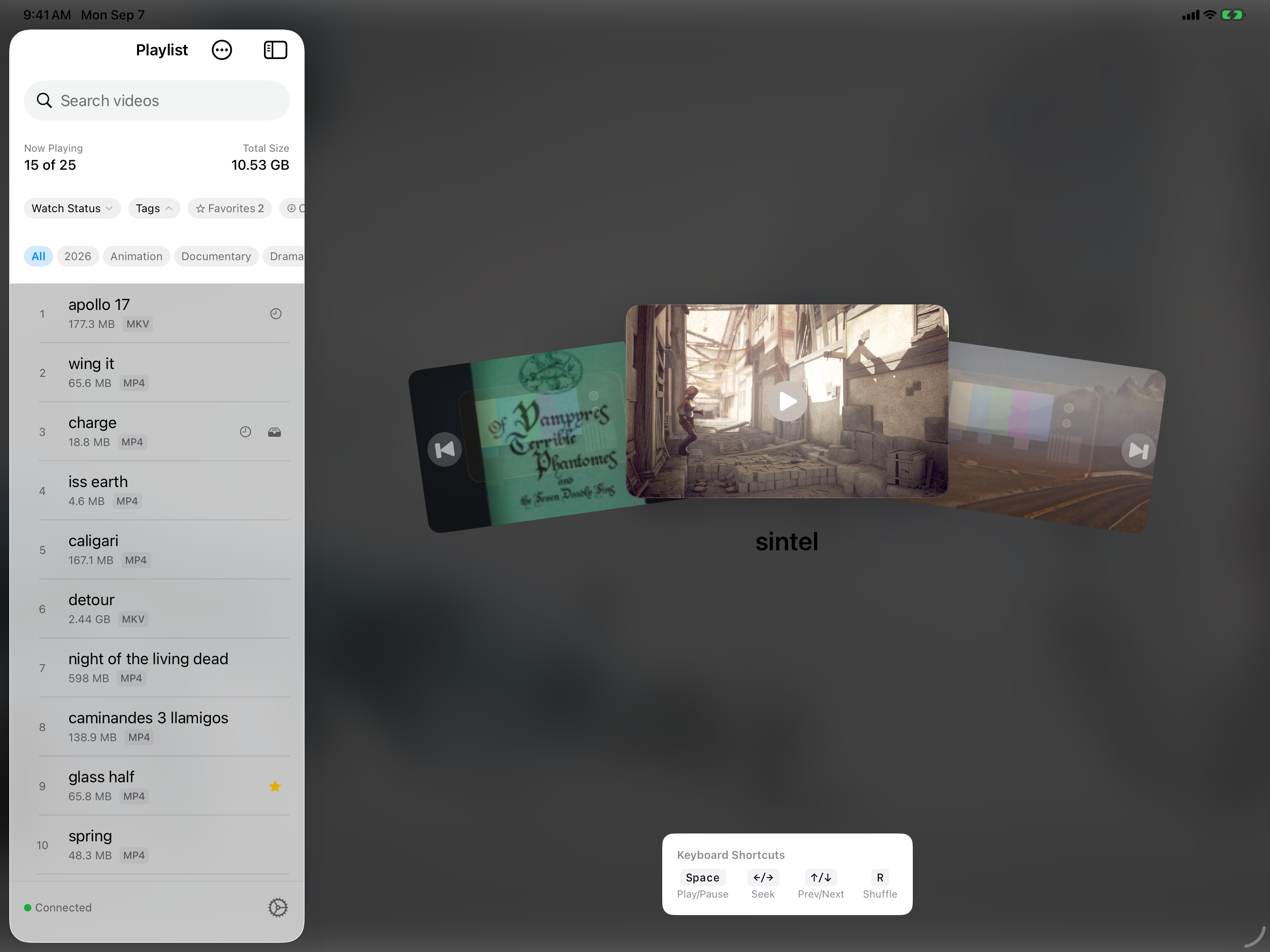
Smart Tags from Folders
Your folder structure automatically becomes browsable, filterable tags. Genre, series, year -- whatever you've organized, it's instantly tappable. No manual work required, just connect and go.
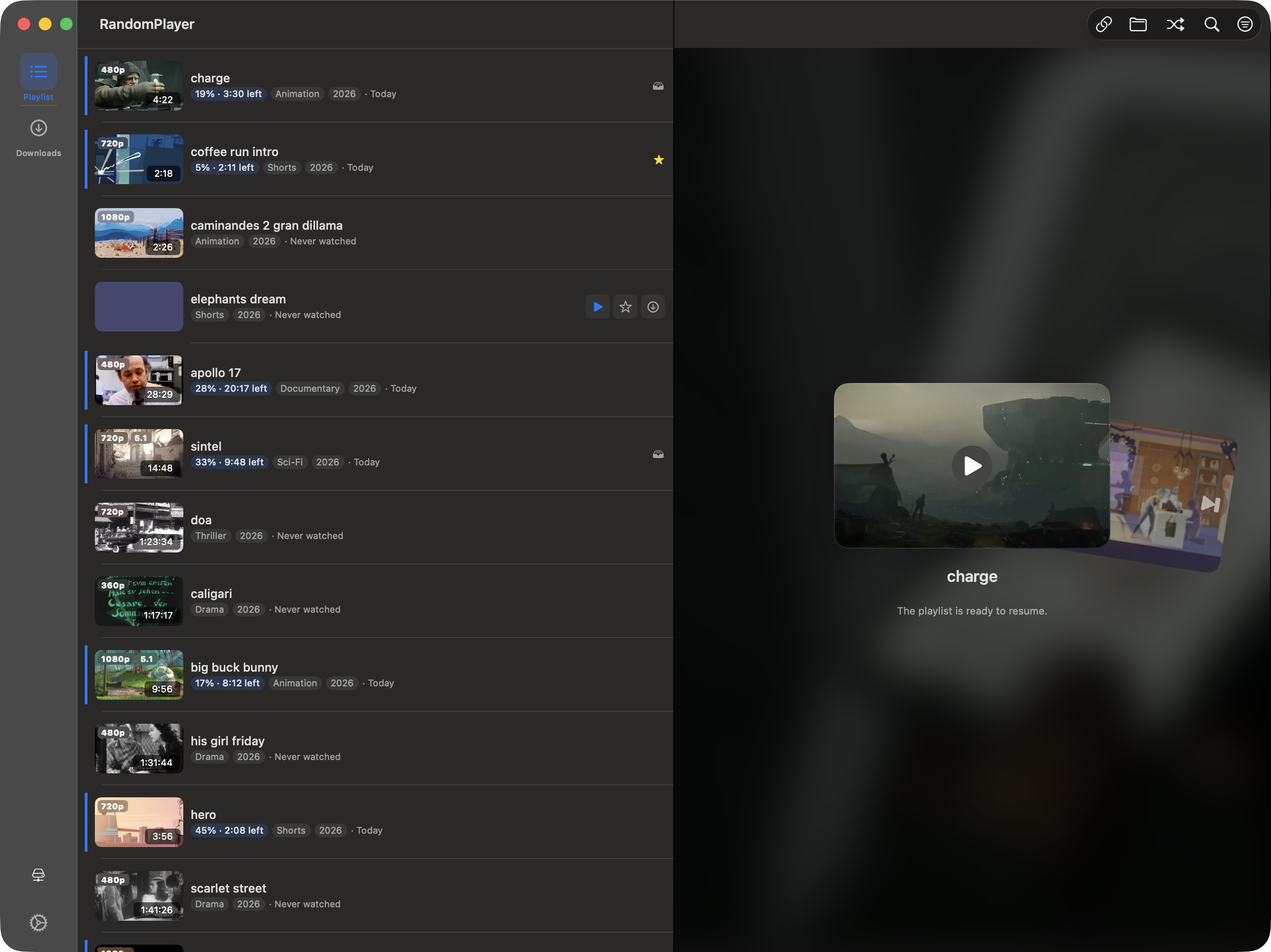
Resume & Watch History
Pick up right where you left off -- every time, on every device. Watch history and resume positions sync through iCloud, so you can start on iPhone, continue on iPad, and finish on Apple TV.
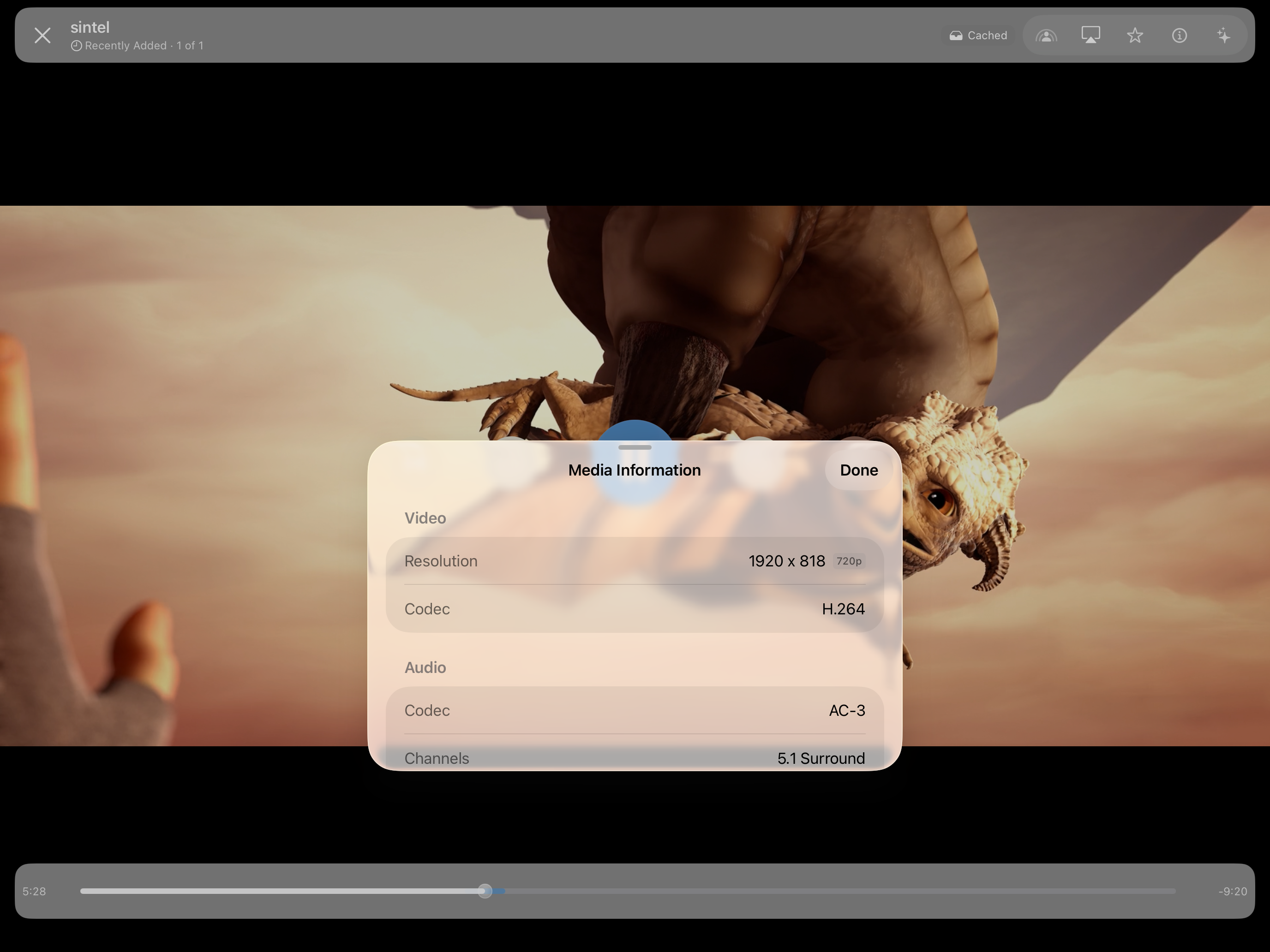
MKV & WebM Support
MKV and WebM files play natively -- no conversion, no waiting. MKV files even get real thumbnail previews extracted on-device, so you see actual frames instead of generic file icons. Just drop them in and press play.
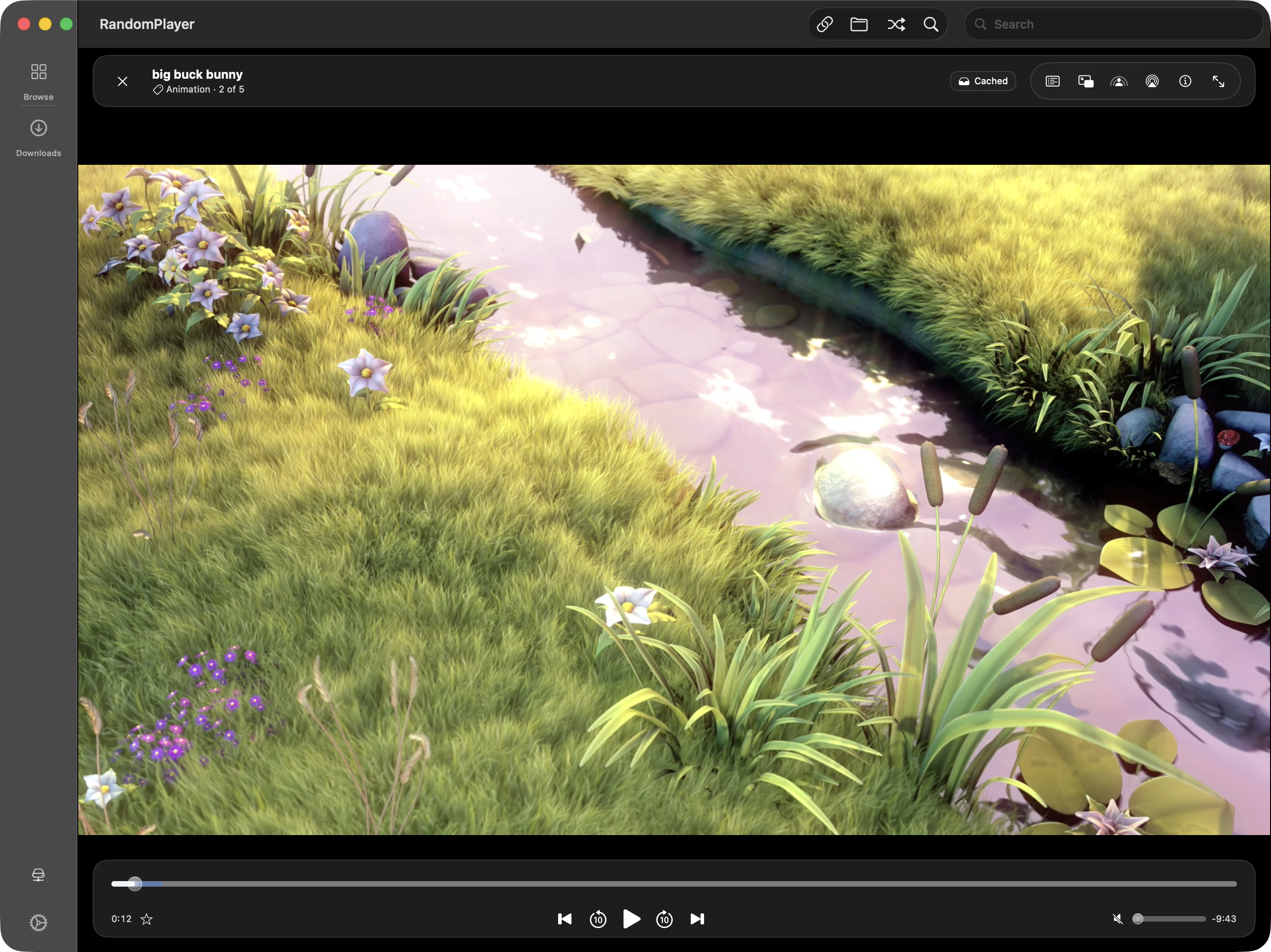
Full Playback Controls
Skip, scrub, adjust speed, switch audio tracks, pick subtitles -- all the controls you'd expect, thoughtfully designed for each platform. Video metadata like codec, resolution, and bitrate are right there at a glance.
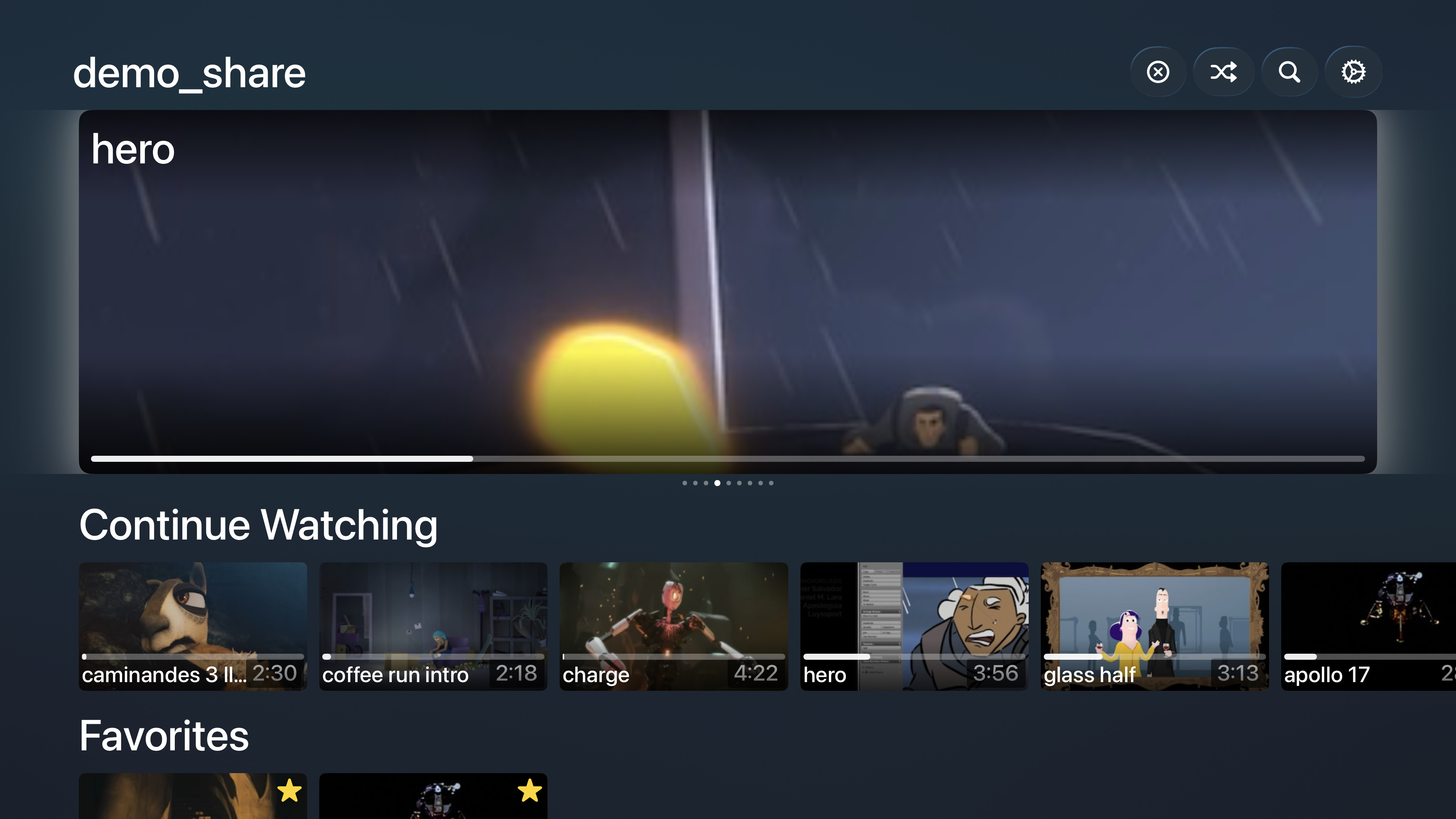
Built for Each Platform
This isn't a one-size-fits-all app. Siri Remote on Apple TV, keyboard shortcuts and a collapsible Browse pane on Mac, touch gestures on iPhone and iPad -- every version feels like it was made just for that device. Because it was.
iCloud Sync
Set up once, enjoy everywhere. Watch history, resume positions, favorites, share profiles, and credentials all sync across your devices via iCloud and iCloud Keychain. Add a server on your iPhone, and it's already waiting on your iPad.
Favorites
Heart the videos you love. They get their own Browse row, sync across all your devices via iCloud, and work seamlessly with tag and watch-status filters. Your go-to picks are always one tap away.
NFS, WebDAV & SFTP Protocol Support
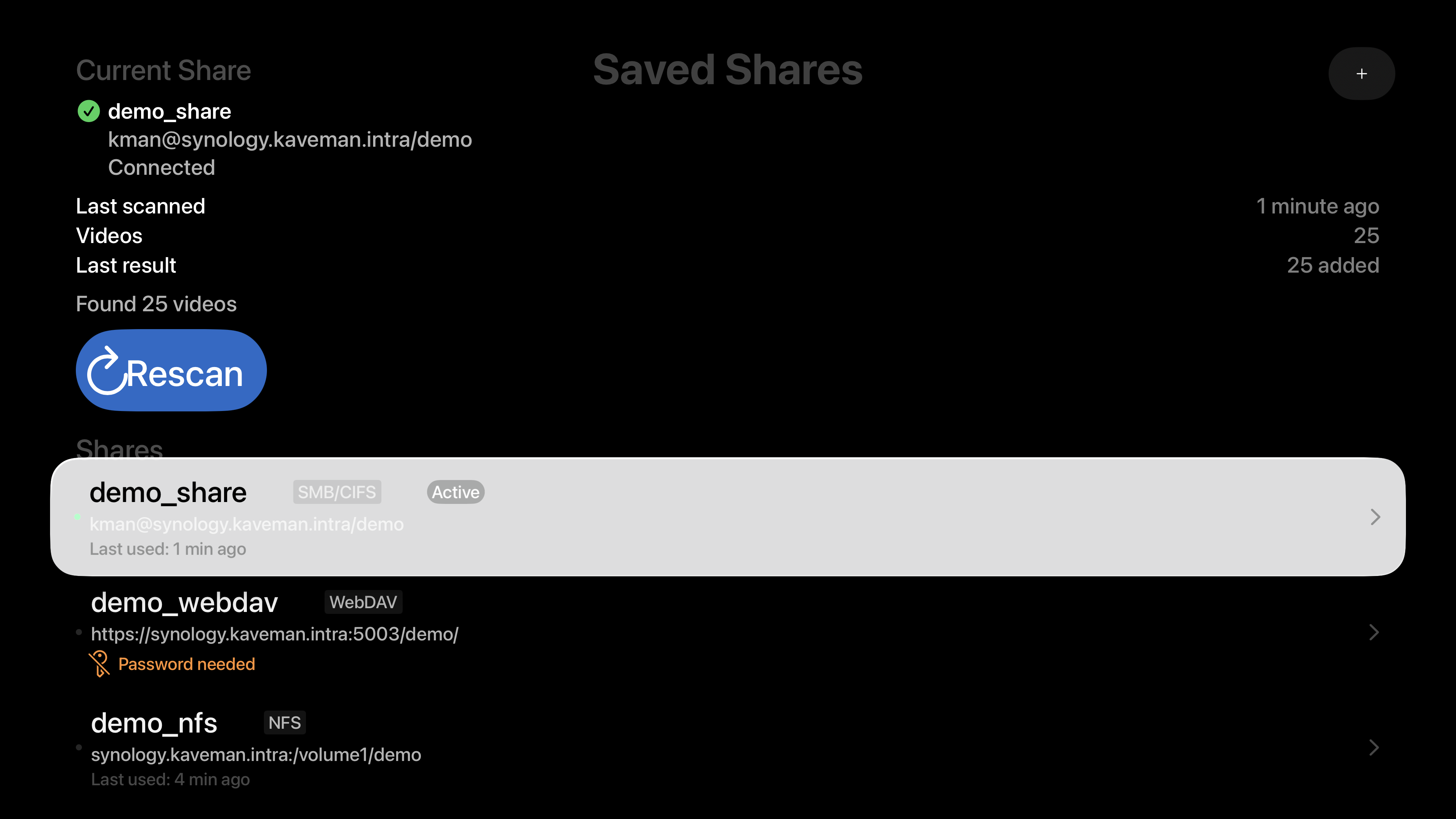
Four protocols, one app. Connect to NFS, WebDAV and SFTP shares right alongside SMB. WebDAV supports HTTPS with optional certificate validation. SFTP reaches any server you can SSH into: check its key's fingerprint once, and RandomPlayer trusts only that key from then on. Same beautiful browsing, same smooth streaming, no matter which protocol your server speaks.